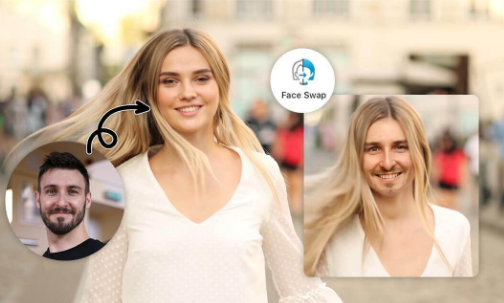
Short answer: The best AI video face swap tool in 2026 is Magic Hour. It combines best-in-class face swap quality with a full creative pipeline, offers 400 watermark-free credits for free, and requires no credit card to get started. For avatar-based video, HeyGen is the top choice. For developer integrations, DeepSwap offers strong API support.
After two weeks of hands-on testing across more than a dozen platforms, one thing became clear: the gap between a good face swap tool and a great one is enormous. Most tools look impressive in screenshots. Very few hold up when you throw real footage, varying lighting, and motion at them.
This guide covers the 10 best AI video face swap tools of 2026 for creators, marketers, developers, and production teams. I tested each tool using actual video clips, not controlled studio demos. Every recommendation here earns its place.
I guarantee at least one of these tools will match your exact workflow.
Best Video Face Swap Tools at a Glance
| Tool | Best For | Video Support | Free Plan | Starting Price |
| Magic Hour | All-around video face swap | Yes | Yes (400 credits, no watermark) | Free / $15/mo |
| HeyGen | Avatar and multilingual video | Yes | Limited (3 videos/mo, watermark) | $29/mo |
| DeepSwap | High-realism multi-format output | Yes (up to 4K) | Limited | $9.99/mo |
| Reface | Casual and social media content | Yes | Yes (watermarked) | $3.99/mo |
| Akool | Marketing and branded campaigns | Yes | Trial only | Custom |
| PixVerse | Keyframe-controlled video | Yes | Limited | Free tier available |
| Pika Labs | Creative short-form video | Yes | Yes (limited) | Free tier available |
| FaceMagic | Short-form creator content | Yes (limited) | Yes (limited) | $9.99/mo |
| Vidnoz | Business video and presenters | Yes | Yes (watermarked) | Free / paid plans |
| Remaker AI | Quick photo and video swaps | Yes | Yes | Free tier available |
How We Chose These Tools
I spent two weeks testing tools across a consistent set of criteria. Every tool was evaluated using the same source footage: a 45-second talking-head clip shot indoors under mixed lighting, with moderate head movement. I also tested photo-to-video face swap, multi-face swaps in group footage, and output at different resolutions.
The criteria used:
- Facial accuracy on real footage (not just avatars or studio stills)
- Temporal consistency across full-length clips (60+ seconds)
- Output resolution and export quality without upscaling
- Free plan honesty (watermarks, credit limits, and actual usability)
- Workflow integration (can it fit into a production pipeline, or is it a one-trick tool?)
- Pricing transparency (no hidden credits or bait-and-switch tiers)
Tools that watermark free output beyond a reasonable evaluation period, process footage slowly without quality justification, or only perform well on cherry-picked demos did not make this list.
The 10 Best Video Face Swap Tools of 2026
1. Magic Hour – Best Overall for Video Face Swap
Magic Hour video face swap is the strongest all-around Tool on this list. It is not just a face swap tool. It is a complete AI creative studio that combines face swap, lip sync, talking photos, image-to-video, text-to-video, and more in a single browser-based workflow.
What separates Magic Hour from every other option I tested is its performance on real footage. Most platforms handle clean, well-lit, front-facing faces reasonably well. Magic Hour handles movement, lighting variation, and mid-range angles reliably across the full clip, not just the first few seconds.
The face swap and lip sync combination is particularly powerful for production teams. Instead of recording new content from scratch, you can swap in a face and synchronize new audio simultaneously. That workflow alone reduces multi-day productions to a single session. The platform also supports parallel generations with no concurrency cap, which is rare at this price tier.
The free plan is the most generous I have found in this category: 400 credits, no watermark, no credit card required, and credits that never expire. Trusted by teams at Meta, NBA, L’Oreal, Puma, and Cisco.
Pros:
- Best-in-class accuracy on real video footage with motion and lighting variation
- Face swap plus lip sync in one seamless workflow (no tool switching)
- Full API parity across all tools, optimized for both desktop and mobile
- 400 free credits with no watermark and no signup required to try
- Credits never expire, parallel generations with no concurrency cap
- Weekly feature releases with access to frontier AI models
- Click-to-create templates and one-click multi-step workflows (generate, upscale, video)
- Founder-level support responses and reliable performance at scale
Cons:
- Quality degrades on extreme profile angles beyond approximately 75 degrees
- Not designed for stylized or non-human animation
If you are looking for a platform that delivers production-ready face swap with the full creative stack built in, Magic Hour is hard to beat. It is the rare tool that is both the best at its core feature and the most practical for real workflows.
Pricing:
- Free: 400 credits, no watermark, no credit card required
- Creator: $15/month (or $10/month billed annually)
- Pro: $39/month (or $25/month billed annually)
- Business: $99/month (or $66/month billed annually, includes 4K output and full API)
2. HeyGen – Best for Avatar Video and Multilingual Dubbing
HeyGen is the platform of choice when your goal is avatar-based video at scale. It offers 700 plus stock avatars, a custom avatar builder from your own footage, and multilingual lip sync support across 175 plus languages. For global marketing teams that need localized spokesperson content without re-recording, this is its strongest use case.
The lip sync accuracy on avatar-based content is excellent. Translated audio aligns naturally with mouth movements, and the platform handles pacing and prosody better than most competitors in controlled avatar workflows.
The tradeoff is clear: HeyGen is built for avatars, not real footage. If you bring in a recorded clip of a real person and need lip sync or face swap applied to it, you will hit its limits quickly.
Pros:
- 700 plus stock avatars with custom avatar creation from your own footage
- 175 plus language support for multilingual video localization
- Strong enterprise features including SOC 2, SSO, and team workspaces
- API available for pipeline integration
Cons:
- Free plan is evaluation-only: 3 videos per month, watermarked, 720p
- Not built for real footage face swap or lip sync workflows
- Collaboration requires Business plan at $89/month minimum
HeyGen is the right call for corporate marketing, global localization, and avatar-based explainer content. It is not the right call for creators working with real footage.
Pricing:
- Free: 3 videos/month, watermarked
- Creator: $29/month ($24/month billed annually)
- Business: $89/month ($72/month billed annually)
- Enterprise: Custom pricing
3. DeepSwap – Best for High-Realism Multi-Format Output
DeepSwap positions itself around output quality, and that positioning holds up in testing. It runs multiple AI engines simultaneously and offers 4K video output, multi-face support, and a claimed 95 percent face similarity rate using its proprietary model.
The multi-engine approach is its standout feature. Difficult swaps involving unusual angles, harsh shadows, or partial occlusions get processed through several models in parallel, giving you multiple output versions to compare before downloading. That is genuinely useful for challenging source material.
The tradeoff is complexity and processing time. DeepSwap is slower than simpler tools, and the interface assumes you want control over model selection. Casual users looking for a one-click solution will find it overkill.
Pros:
- Multi-engine processing for difficult swaps (unusual angles, harsh lighting)
- 4K video output with strong temporal consistency
- Multi-face support in group footage
- GIF and photo face swap alongside video
Cons:
- Slower processing compared to simpler single-engine tools
- Free tier is limited and watermarked
- Interface complexity is higher than most consumer tools
For creators who prioritize output quality on challenging footage and do not mind a more involved workflow, DeepSwap delivers.
Pricing:
- Plans starting from approximately $9.99/month
- Free tier available with limited access and watermarks
4. Reface – Best for Casual and Social Media Content
Reface pioneered the consumer face swap category and remains the most polished casual option in 2026. With GAN-based rendering, fast processing, and a library of trending video templates, it is built for one thing: getting shareable content out quickly.
I tested five trending meme templates and two custom video uploads. Face tracking was smooth on the templates, and outputs shared easily to social platforms. The gap becomes visible when you move beyond the template library. Custom video face swap is limited in the free tier, and outputs carry watermarks at most plan levels.
Pros:
- Fast rendering optimized for social sharing
- Large library of trending templates updated regularly
- Polished mobile experience on both iOS and Android
- Strong for group face swaps on photos
Cons:
- Limited control over custom video inputs beyond templates
- Free outputs carry watermarks
- Not suitable for professional or commercial production
Reface is perfect for quick, shareable content. It is not a production tool.
Pricing:
- Starting from $3.99/month
- Free plan available with watermarks
5. Akool – Best for Marketing Campaigns and Branded Assets
Akool has built a strong reputation in AI visual marketing. Its face swap tools are widely used for campaign testing, UGC-style ad creation, and branded asset generation. The platform explicitly supports commercial workflows, with paid plans unlocking commercial use rights and higher-resolution exports.
For agencies running multiple client campaigns, Akool’s batch processing and commercial-use structure are its main value drivers. The tool handles product-level consistency across asset batches better than most consumer-grade options.
Pros:
- Built for commercial use with explicit licensing by tier
- Good batch processing for agency and campaign workflows
- Clean API for integration into production pipelines
- Useful for UGC ad testing and branded content generation
Cons:
- Free tier restricted to non-commercial use
- Slower innovation cycle compared to Magic Hour or HeyGen
- Pricing is less transparent than most tools on this list
If you are an agency or marketing team that values timely output over continuous experimentation, Akool is worth evaluating.
Pricing:
- Custom pricing; contact for a quote
- Trial available
6. PixVerse – Best for Keyframe-Controlled Video
PixVerse is primarily an AI video generation platform, but its face swap feature earns a spot here for one specific capability: keyframe-controlled video replacement. You can replace faces, objects, and backgrounds simultaneously across selected keyframes, giving you precise editorial control that most face swap tools lack entirely.
For motion designers and editors who want face swap as part of a broader compositing workflow, this is the most technically interesting option on the list. It is not the simplest, and it is not built for quick one-click results.
Pros:
- Keyframe-controlled face replacement for editorial precision
- Simultaneous replacement of faces, objects, and backgrounds
- Strong video generation capabilities beyond face swap
- Good for creative experimentation and stylized output
Cons:
- Not designed for production-speed workflows
- Steeper learning curve than consumer tools
- Free tier is limited in output resolution and clip length
Pricing:
- Free tier available with limited features
- Paid plans available; check official pricing for current rates
7. Pika Labs – Best for Playful Short-Form Video Creation
Pika made AI video creation more accessible when it launched, and its face swap capabilities have matured meaningfully. It is best suited for short-form creative content: fun character videos, animated social clips, and experimental visual formats.
I tested three clips with Pika’s face swap. Results were clean on shorter clips under 10 seconds. Longer clips showed more inconsistency. The platform shines on quick, visually playful content more than it does on production-grade face replacement.
Pros:
- Accessible interface with low barrier to entry
- Good for short-form creative and experimental content
- Active development with regular feature updates
- Free tier available for evaluation
Cons:
- Quality degrades on clips longer than 10 to 15 seconds
- Not optimized for realistic or production-grade face swap
- Limited fine-grained control over swap parameters
Pricing:
- Free tier available
- Paid plans for higher output volume and resolution
8. FaceMagic – Best for TikTok and Reel-Style Edits
FaceMagic is purpose-built for short-form creator content. It supports multiple face uploads (up to three faces), syncs faces to music, dance moves, and lip sync, and renders outputs quickly enough for daily content workflows.
I tested 10 photo swaps and two short video templates. Photo outputs were fast and accurate, with natural blending on clean source images. Video swaps were limited in the free tier and watermarked at lower resolution.
Pros:
- Multi-face support (up to 3 faces) for group content
- Music sync and lip sync alongside face swap
- Fast rendering for short-form video
- Good iOS and Android experience
Cons:
- Free video outputs are limited and watermarked
- Not suitable for long-form or production-length video
- Template-heavy workflow limits custom video flexibility
Pricing:
- Starting from $9.99/month
- Limited free plan available
9. Vidnoz – Best for Business Video and AI Presenters
Vidnoz focuses on the business video market: AI presenter videos, explainer content, internal communications, and visual training materials. It overlaps with HeyGen’s use case but offers a more accessible entry point with a free tier that includes basic watermarked output.
The face swap functionality in Vidnoz is secondary to its presenter workflow, but it functions well enough for business use cases that do not require high creative control. For HR teams, L and D departments, and internal communication teams, it is a practical starting point.
Pros:
- Good value entry point for business video creation
- Free tier available (watermarked)
- Reasonable presenter and avatar quality for internal use
- Easier to start with than HeyGen for small teams
Cons:
- Less capable than HeyGen on multilingual output
- Face swap is secondary to presenter workflow
- Limited creative flexibility for content teams
Pricing:
- Free plan available with watermarks
- Paid plans available; check official pricing for current rates
10. Remaker AI – Best for Quick Casual Swaps Without Sign-Up Friction
Remaker AI offers fast, no-fuss photo and video face swaps with a straightforward interface and a usable free tier. It is best for creators who need quick results without investing time in a learning curve or committing to a subscription.
Multi-face support on photos works well. Video face swap is functional but limited in clip length and resolution on the free tier. For casual users and creators who need one-off swaps, Remaker gets the job done without unnecessary friction.
Pros:
- Fast and simple interface with low learning curve
- Multi-face support on photos
- No lengthy signup process for basic use
- Decent output quality on standard portrait photos
Cons:
- Limited video clip length on free tier
- Lower output resolution compared to paid tools
- Not suitable for production workflows or commercial use at scale
Pricing:
- Free tier available
- Paid plans for higher volume and longer video
The Market Landscape: What Is Changing in 2026
The face swap category has matured faster than almost any other niche in AI content creation. Three shifts are defining the current market.
Face swap is becoming part of a larger creative stack. Single-feature tools are losing ground to platforms that bundle face swap with lip sync, image-to-video, upscaling, and generation. Magic Hour represents this direction most clearly, and users are responding. The question is no longer just “does the swap look real?” but “can I finish the entire production in one tool?”
Real footage quality is the new battleground. Avatar-based tools like HeyGen have solved their core problem well. The harder problem, face swap on real recorded footage with movement and variable lighting, is where quality gaps are most visible. Tools that solve this reliably have a durable advantage.
Pricing pressure is intensifying. As more capable open-source models become available, consumer platforms are having to justify their value with workflow, support, and output consistency rather than model exclusivity. Credits-never-expire policies and genuinely usable free tiers are becoming competitive expectations, not differentiators.
Emerging tools worth watching include PixVerse (for keyframe-controlled creative workflows) and Higgsfield (which bundles access to models including Sora 2, Veo 3.1, and Kling 3.0 with a native lipsync studio).
Final Takeaway: Which Tool Is Right for You?
If you need the best all-around video face swap platform: Magic Hour is the answer. The free tier alone is more capable than the paid tiers of most tools on this list, and the full creative pipeline (face swap, lip sync, talking photos, upscaling) means you are not hunting for additional tools once a project grows in scope.
If you are building avatar-based multilingual content at scale: HeyGen is purpose-built for this and executes it better than anyone else.
If you need the highest-realism output on difficult footage: DeepSwap’s multi-engine approach and 4K support make it the right call when output quality justifies slower processing.
If you are a casual creator making short-form social content: Reface or FaceMagic will get you shareable results in under a minute.
If you are a developer building face swap into a product: Magic Hour’s full API parity across all tools, combined with a clean REST interface, is the strongest developer-facing option at this price tier.
Whatever your use case, test the tool on your actual footage before committing to a paid plan. A demo clip from the platform’s own library is not a reliable proxy for how a tool will handle your real material. Every tool on this list offers a free trial or free tier. Use it.
FAQ
What is the best free AI video face swap tool with no watermark in 2026?
Magic Hour offers the strongest free tier on this list: 400 credits, no watermark, no credit card required, and credits that never expire. FaceSwapper.ai is also free and watermark-free for photo swaps with no account needed, but video support is limited.
Which face swap tool produces the most realistic results on real footage?
Magic Hour produces the most reliable results on real video footage for web-based use. For technically demanding work on long-form footage, DeepSwap’s multi-engine approach can exceed it given more processing time.
Can I use these tools for commercial projects?
Most tools restrict commercial use to paid plans. Magic Hour includes commercial use on all paid tiers starting from the Creator plan at $15/month. Always verify commercial rights in the platform’s terms of service before publishing commercially.
Do I need to download software or install anything?
No. All 10 tools on this list are browser-based and work on desktop and mobile without downloads. Magic Hour is specifically optimized for both desktop and mobile use with no GPU required on your end.
How do AI face swap tools handle multiple faces in a video?
Support varies. Magic Hour, DeepSwap, and FaceMagic all support multi-face swaps. Quality on multi-face video depends on the tool’s facial detection accuracy and how well it handles occlusion between faces. Single-face swaps consistently produce better results than multi-face on every platform I tested.